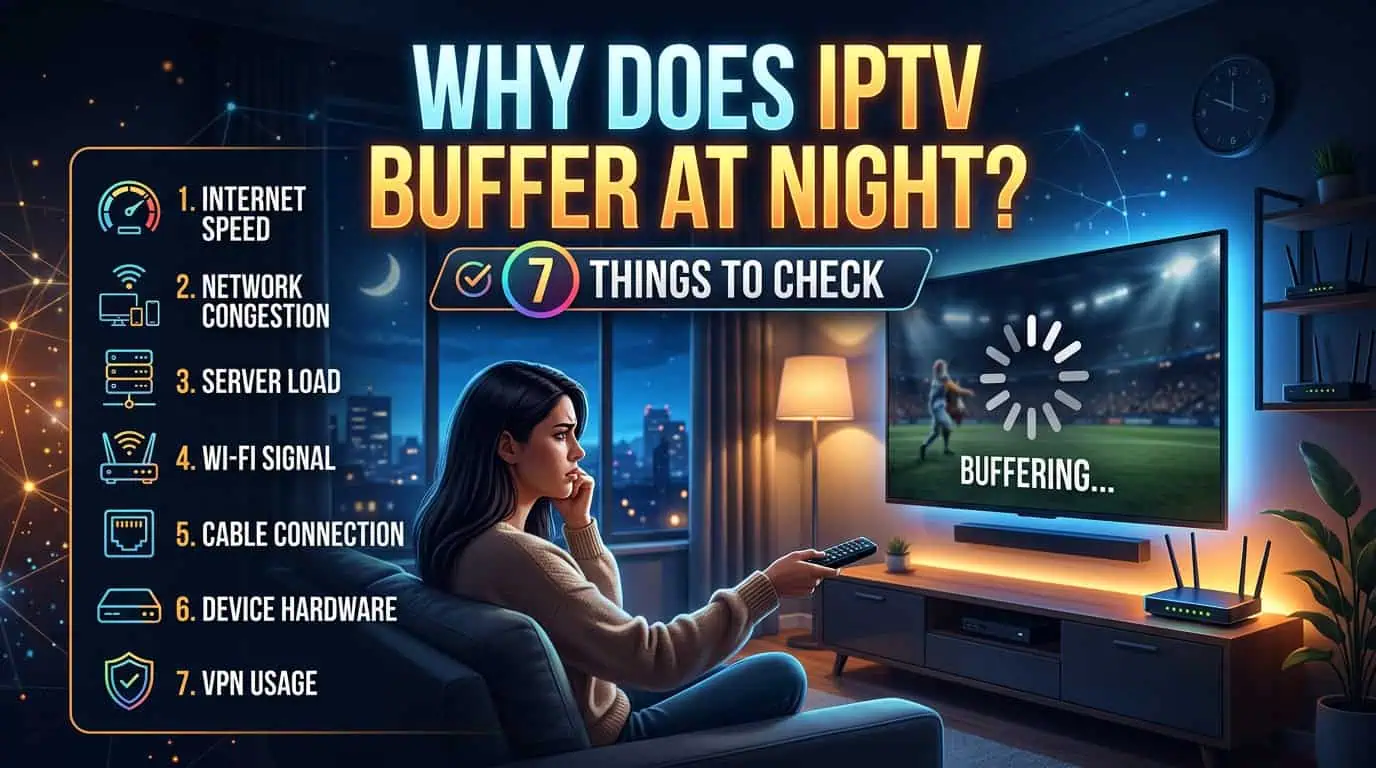
IPTV buffering at night is often related to increased network congestion, weaker Wi-Fi performance, device limitations, or problems with the particular stream you are watching. The easiest way to find the cause is to test your connection, device, and stream separately.
If IPTV works normally during the day but starts freezing in the evening, the timing is an important clue.
Why Does IPTV Buffer More at Night?
IPTV can buffer more at night because more people are using internet connections at the same time. Streaming services, gaming, video calls, downloads, and other connected devices can increase network traffic.
However, evening buffering does not automatically mean your IPTV service is the problem. The issue can occur anywhere between your internet connection and the device playing the stream.
Here are seven common causes to check.
1. Your Home Network Is More Busy at Night
The first thing to check is what else is using your internet connection.
Someone in your home may be watching Netflix, downloading large files, playing online games, using cloud backups, or making video calls. Several activities running together can leave less available bandwidth for IPTV.
Try disconnecting unnecessary devices temporarily and see whether the stream becomes more stable.
If the problem disappears, your home network may be experiencing congestion rather than an IPTV-specific issue.
2. Your Wi-Fi Connection Becomes Unstable
Wi-Fi problems can become more noticeable when several devices connect to the same router.
Distance from the router, walls, interference, and the number of connected devices can all affect wireless performance. A device that works well close to the router may perform differently in another room.
If possible, test IPTV closer to the router. For a fixed Smart TV or streaming device, an Ethernet connection can also help determine whether Wi-Fi is contributing to the problem.
3. Your Internet Speed Is Not the Only Factor
Having a high-speed internet plan does not guarantee that every IPTV stream will remain stable.
Connection consistency also matters. Short drops, latency changes, packet loss, or congestion can interrupt a stream even when a speed test shows a high download number.
Run a speed test when IPTV works normally and again when the buffering starts. Comparing the results can help identify whether your connection changes during the evening.
4. The Stream Quality May Be Too High
Higher-quality streams generally require more bandwidth than lower-resolution streams.
If a 4K stream keeps freezing while an HD stream plays normally, your connection or device may have difficulty maintaining the higher data rate.
Try a lower-quality version of the same channel if one is available. If it becomes stable, the problem may be related to available bandwidth, network conditions, or device performance.
You can also explore the available IPTV channels and compare how different streams perform.
5. Your Streaming Device May Be Under Heavy Load
Your IPTV player is not the only software using your device.
Smart TVs, Android devices, Fire TV devices, phones, and computers may have other applications running in the background. Limited storage, outdated software, overheating, or heavy background activity can also affect playback.
Restart the device and IPTV player before changing more complicated settings. Then test the same channel again.
If IPTV works properly after a restart, the issue may be related to the device rather than your subscription.
6. One Channel Can Have a Problem While Others Work
Sometimes buffering affects a specific channel or stream rather than the entire IPTV service.
Test several different channels when the problem occurs. If one channel freezes while others play normally, the issue may be isolated to that particular stream.
This simple test can save time because it tells you whether you should investigate your connection or report a specific channel problem.
7. The IPTV Service May Be Experiencing a Temporary Issue
If multiple channels start buffering across different devices and your internet connection is working normally, the service itself may be experiencing a temporary technical problem.
Before changing your router or reinstalling your player, check whether the same problem happens on another compatible device.
If the problem remains, contacting IPTV support can help you determine whether there is a service-side issue.
How Can You Stop IPTV Buffering at Night?
Start with the simplest checks before making major changes.
Restart your router and streaming device, close unnecessary applications, test your Wi-Fi connection, and reduce the stream quality temporarily. Then test several channels instead of judging the entire service from one stream.
If possible, use Ethernet for a fixed streaming device. Also make sure your IPTV player and device software are up to date.
For more common questions, you can review the IPTV FAQ before contacting support.
Should You Change Your IPTV Subscription Because of Nighttime Buffering?
Not immediately.
First determine whether the problem is caused by your internet connection, Wi-Fi, device, stream quality, a specific channel, or the IPTV service itself. Changing subscriptions without identifying the cause may not solve the problem.
If your connection and devices work normally but IPTV consistently has problems across multiple streams, then it makes sense to review the service, available IPTV pricing plans, support options, and technical features before making a decision.
Final Thoughts
IPTV buffering at night can have several causes, and the timing alone does not prove that your IPTV provider is responsible. Evening network congestion, Wi-Fi performance, high stream quality, device limitations, individual channels, and temporary service issues can all affect playback.
The best approach is to test one factor at a time. Check your network, try another device, test different channels, and compare lower-quality streams. Once you identify where the problem occurs, you can choose the right solution instead of changing settings randomly.
If the issue continues after these checks, use the IPTV support page to ask for help with your specific setup.
Legal Note: Always use IPTV services and content that are properly authorized for your location.